
File format guide
How to open an IPA file
To open an IPA file, treat it as a zip archive. Any unzip tool shows the app bundle inside, and fr0stbyte reads every part of it.
Windows, Mac or iPhone
Open an IPA on any computer
An .ipa (iOS App Store Package) is a zip archive.
On Windows, rename MyApp.ipa to MyApp.zip and choose Extract All. 7-Zip opens it without renaming.
On a Mac, three Terminal commands open it and print its basic facts.
unzip -q MyApp.ipa -d MyAppUnpacks the archive into a folder named MyApp.
open MyApp/PayloadShows the app bundle in Finder. Control-click it and choose Show Package Contents.
plutil -p MyApp/Payload/MyApp.app/Info.plistPrints the bundle ID, version and minimum iOS as readable text.
On an iPhone, an .ipa does not open like a document. It has to be installed. An App Store build runs only for the Apple ID that owns it. Here is how to install an IPA on iPhone.
No Mac at hand? The free IPA analyzer opens an .ipa in your browser, and nothing is uploaded.
How it works
Read it in fr0stbyte instead
- 01
Drag the .ipa in
Drop any .ipa or .fbt onto fr0stbyte on your Mac. It unpacks the bundle into a temporary folder, read-only.
- 02
See the app at a glance
The General tab shows the icon, version, bundle ID, minimum iOS, sizes and the detected tech stack.
- 03
Open any part
Browse every file in Inspection, and open each kind in its own viewer.
MyApp.ipa
a zip archive
- Payload/the top folder
- MyApp.app/the app bundle
- MyAppthe executable
- Info.plistname, bundle ID, version, permissions
- Assets.caricons and images, compiled
- Frameworks/embedded frameworks
- PlugIns/widgets and other extensions
- _CodeSignature/the seal over every file
- SC_Info/FairPlay data, App Store builds only
- MyApp.app/the app bundle
A zipped file named MyApp.ipa, opened into the folder tree it holds.
What you get
Read the IPA once it is open
Info.plist in plain English
Every key gets a plain-English description and a Sensitive flag. Permission strings read like sentences.
The tech stack, named
SwiftUI, UIKit, React Native, Flutter, Unity or Capacitor, read from the binary instead of guessed from the name.
Signing and entitlements
Code signature, entitlements and provisioning profile, with the FairPlay status beside them.
Images out of Assets.car
Asset catalogs decoded for viewing, plus Lottie and Rive animations, fonts and audio, each in its own viewer.
Where the size goes
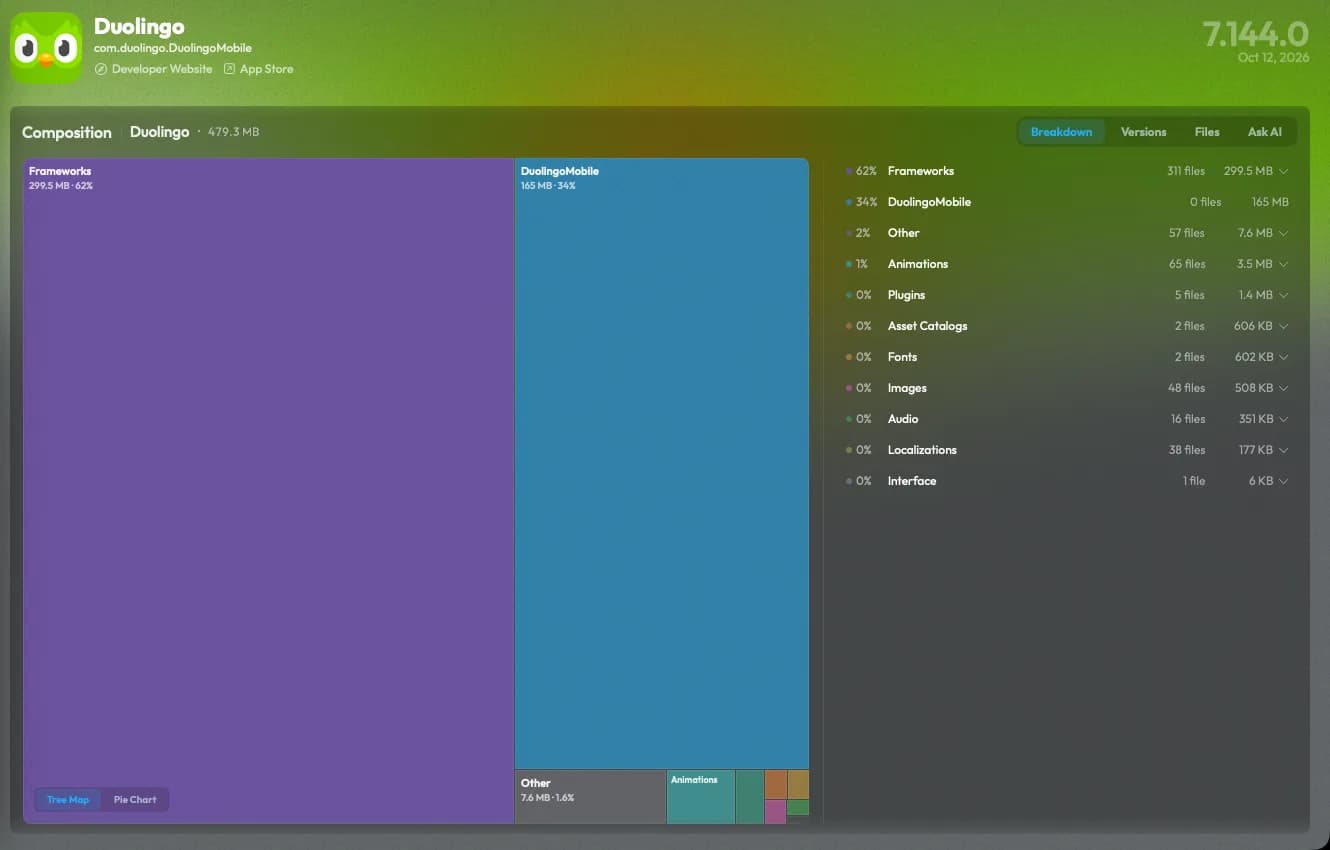
IPA, payload and installed size for 21+ device models, with a tree map of what takes the space.
On your iPhone in one click
Install the build over USB or Wi-Fi with no Xcode. App Store builds install through Apple's licensing for your Apple ID.
Honest limits
What it does not do
fr0stbyte opens and reads an IPA. It never modifies or re-signs one. App Store executables stay FairPlay-encrypted, so their compiled code is not readable. It does not run iOS apps on Windows or a Mac. It does not export fonts or audio.
FAQ
IPA file FAQ
- What is an IPA file?
- An IPA file is an iOS app package, the format iPhone and iPad apps ship in. It is a zip archive with the app bundle in its Payload folder.
- How do I open an IPA file on Windows?
- Rename it from .ipa to .zip and choose Extract All, or open it with 7-Zip. You can read the files, but an iOS app cannot run on Windows.
- How do I open an IPA file on a Mac?
- Run unzip in Terminal, or rename it to .zip and double-click it. To read it fully, drag it onto fr0stbyte, which shows the stack, signing, size and every asset.
- Can I open an IPA file on my iPhone?
- Not as a document. An .ipa has to be installed. An App Store build runs only for the Apple ID that owns it. fr0stbyte installs it from your Mac over USB or Wi-Fi.
- Can I open an IPA file online?
- Yes. The free IPA analyzer on fr0stbyte.app opens an .ipa in your browser. It reads Info.plist, entitlements, frameworks and size. The file never leaves your device.
- Why can't I read the app's code after unzipping it?
- App Store builds keep the main executable FairPlay-encrypted. Everything else stays readable, and that is what fr0stbyte shows.
More to do with the same file
Other ways to read an IPA
Or start at the IPA analyzer for macOS, where every one of these begins with a drag and drop.
Opened. Now read it.
Drag any .ipa onto fr0stbyte. See its stack, its size and what it may do.