
IPA downloader
IPA downloader for macOS with version history
fr0stbyte is an IPA downloader inside a native Mac app. Search the App Store, pick any version Apple still serves, and it lands on your Mac encrypted.
How it works
Download an IPA in three steps
- 01
Sign in with Apple ID
A regular Apple ID with two-factor authentication, no developer account.
- 02
Search any app
Type three characters and results appear. Filter by storefront, device and category, or browse Top Free and Top Paid.
- 03
Download the version you need
Hover a result for the current build, or open App Versions for an older one. 1 credit per MB, shown up front.
What you get
Download any iOS app, any version
Version history built in
Pull last year's release, or the exact build a user is complaining about, from the App Versions window.
Encrypted by default
Downloads land as .fbt, an AES-GCM-256 archive bound to your account. Settings can switch to a plain .ipa.
Credits pay for downloads only
1 credit covers 1 MB. Opening a file you already have is free. Packs of 1,000, 3,000, 7,500 or 20,000 credits, one-time.
Straight into analysis
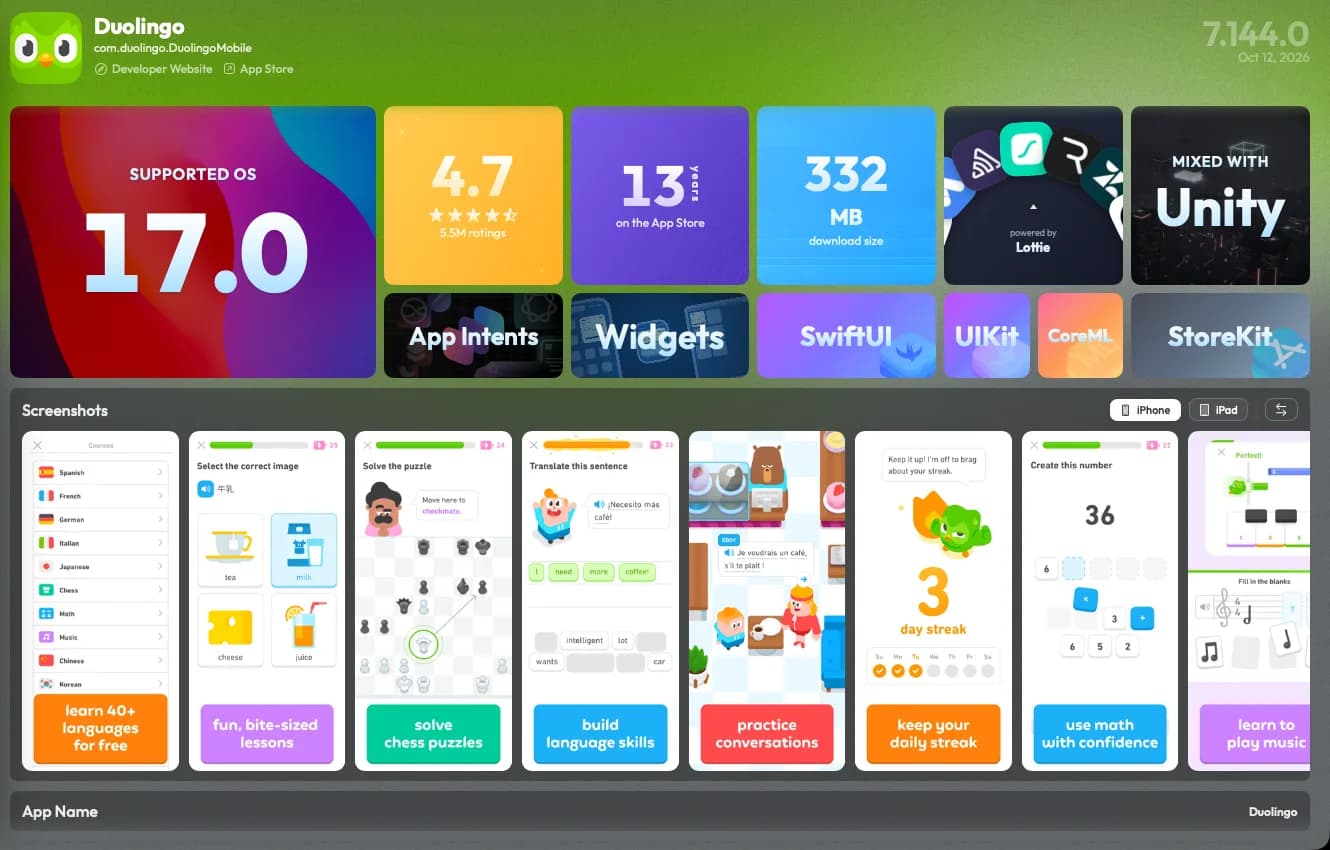
A finished download opens in the analyzer on its own. Frameworks, plists, reviews and sizes are already on screen.
Two versions, one diff
Two builds of one app, lined up across 12 dimensions. App Store search sits inside the Compare pane.
Install what you downloaded
Push the build to your iPhone over USB or Wi-Fi. App Store apps license through your signed-in Apple ID.
Version history
How App Store version history works
Every App Store release gets its own numeric version ID. Apple keeps the list of those IDs for each app. Reading it needs no developer account or App Store Connect access.
The App Store on your iPhone offers only the newest build. Many older builds stay on Apple's servers under the same listing.
fr0stbyte's App Versions window reads that list for any app. It runs newest first, with the version number on every row.
Pick a row and that exact build downloads to your Mac. That covers last year's release, or the build a user reported a bug against.
Some builds drop out over time. Apple can withdraw a version, or stop selling an app in your storefront. A withdrawn build is out of reach for fr0stbyte too.
Every build stays licensed per Apple ID, so it runs on your iPhone through Apple's own licensing. Already have the file? Read its Info.plist in the free IPA analyzer.
Honest limits
What it does not do
Downloads need an Apple ID with two-factor and cost 1 credit per MB (the trial includes one). fr0stbyte cannot fetch what Apple no longer serves. Builds stay FairPlay-protected and run only for an Apple ID that can license them. It is not a way to get paid apps free.
FAQ
IPA downloader FAQ
- Do I need an Apple ID to download IPAs?
- Yes. Search, download and version history run through your Apple ID with two-factor authentication. Local files need no sign-in.
- Can I download an older version of an app?
- Yes. App Versions lists every version Apple still serves. Pick one and it downloads as an encrypted .fbt.
- How much does a download cost?
- 1 credit per MB, so a 150 MB app costs 150 credits. Packs come in 1,000, 3,000, 7,500 or 20,000 credits, one-time.
- What is a .fbt file?
- fr0stbyte's encrypted archive: the IPA, AES-GCM-256 encrypted with a key bound to your account. It opens like an IPA.
- Can I download any app on the App Store?
- Any app Apple still serves to your Apple ID's storefront. Removed apps and withdrawn versions are out of reach.
More to do with the same file
Other ways to read an IPA
Or start at the IPA analyzer for macOS, where every one of these begins with a drag and drop.
Pull the build. Then read it.
Search, download, inspect, compare and install in one Mac app. Every new Mac starts with 2,500 free download credits.