
Inside the bundle
IPA extractor for macOS: see everything inside
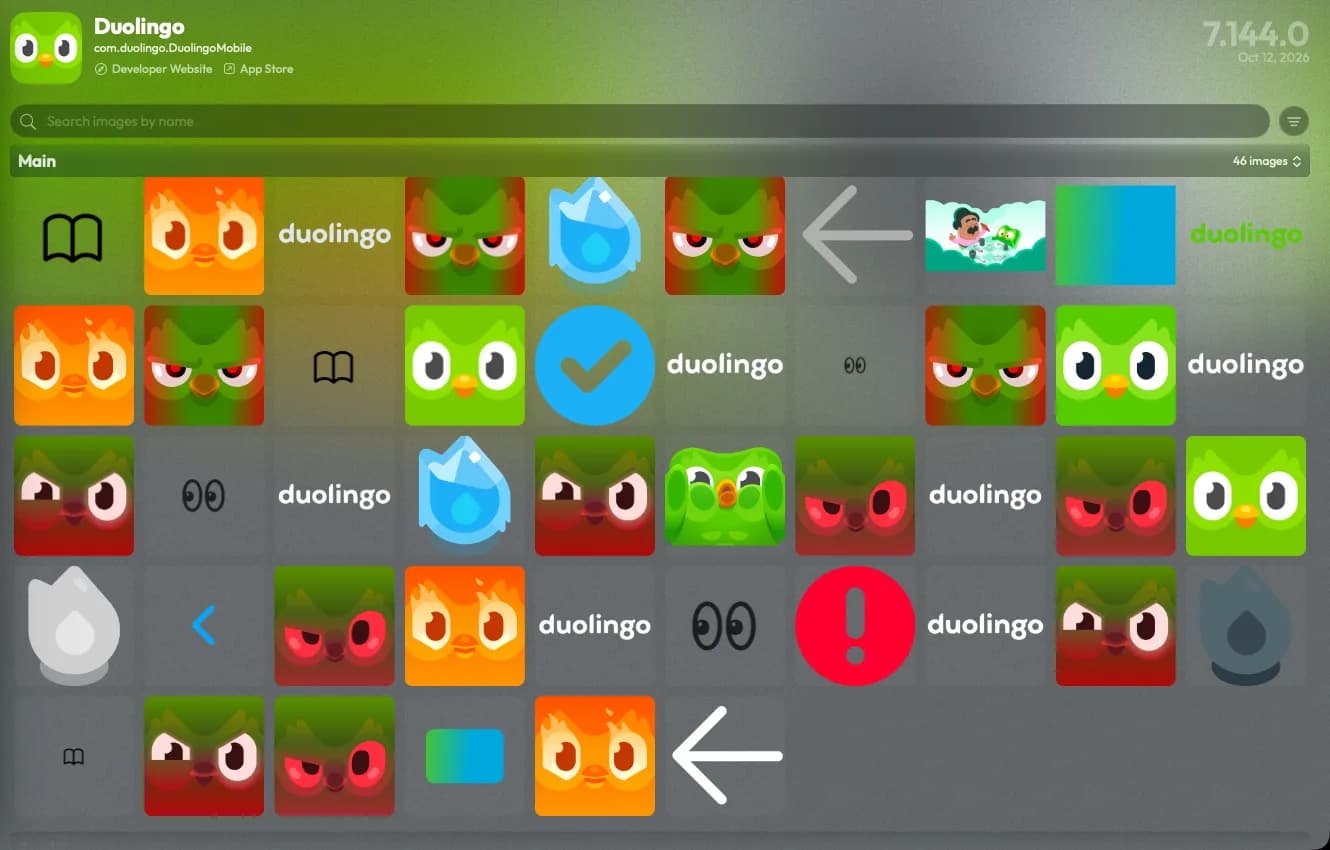
fr0stbyte is an IPA extractor that unpacks any .ipa on your Mac. Asset catalogs, Lottie and Rive animations, fonts, audio, strings, nibs and plists each get a viewer.
How it works
Open an IPA in three steps
- 01
Drop the IPA
Drag an .ipa or .fbt onto fr0stbyte. It unzips to a temporary folder and reads the Payload/*.app bundle.
- 02
Browse by kind
Images, Animations, Audios, Fonts, Strings, Nibs, Info, Frameworks and Plugins each have a tab. Inspection lists every file.
- 03
Open anything
Click a file and the matching viewer opens: images, animations, storyboards in the NIB viewer, plists pretty-printed.
What you get
A viewer for every file inside
Asset catalogs, decoded
Every rendition inside Assets.car, plus the loose PNGs. Vector PDFs and SVGs stay vectors.
Animations with layers
Lottie, dotLottie, Rive, Flare and GIF play in a poster grid. Open one for a 3D exploded view of its layers.
Fonts, previewed
Every embedded font, with a live preview you can type into and its designer and license.
Audio you can hear
Inline players with waveform, duration and sample rate. Spectrogram, levels and per-channel waveforms on demand.
Strings in every language
.strings, .stringsdict and .xcstrings across every bundle, with language and placeholder filters, search, and one-click copy.
Nibs and storyboards
Every .nib and .storyboardc, Swift class names demangled. The NIB viewer shows hierarchy and constraints, and writes SwiftUI code.
Plists, every one
Info.plist and every bundled plist, with Sensitive and Deprecated flags and the SKAdNetwork grid. Export formatted or raw XML.
Asset catalogs
What is inside Assets.car
Most of an app's images live in one file, Assets.car. Xcode's actool compiles the asset catalog into it at build time.
The file is a BOM archive, the container format macOS installer receipts use. Inside, each image becomes one or more renditions.
A rendition is one variant of an asset. That can be a @2x or @3x scale, a device idiom or a dark appearance.
Small images often get packed into shared atlas sheets named ZZZZPackedAsset. Colors and data assets sit in the same file.
An asset saved with Preserve Vector Data keeps its PDF or SVG source next to the generated PNGs.
Finder shows none of this, because the renditions are compiled. fr0stbyte decodes each one into the Images tab, filtered by bundle.
Vectors open as vectors, and packed atlases hide by default so the grid shows real images. To see which assets changed between releases, compare two builds. For Info.plist and frameworks in your browser, use the free IPA analyzer.
Honest limits
What it does not do
Images, audio and fonts open in viewers with no save, copy or drag-out. Only Info.plist, PDF reports, SwiftUI from a nib and device files leave the app. It opens .ipa and .fbt. App Store executables stay FairPlay-protected, so compiled code stays unreadable. It generates no class headers or source.
FAQ
IPA extractor FAQ
- Can I extract images from an IPA with fr0stbyte?
- Every image, every Assets.car rendition included, shows at full size. fr0stbyte does not save them to disk.
- Does it open .app, .xcarchive or .zip files?
- No, only .ipa files and its own .fbt archives. An .app zipped inside a Payload folder as .ipa opens fine.
- Does it work on App Store (FairPlay-protected) IPAs?
- Yes. Resources, strings, fonts, audio, animations, nibs, plists, framework names and the signature are readable. Only the encrypted code is not.
- Is anything uploaded?
- No. The IPA unzips into a temporary folder on your Mac and is never uploaded. The analysis runs on your Mac and is read-only.
- Can I read an app's localizations?
- Yes. The Strings tab merges .strings, .stringsdict and .xcstrings from every bundle, filtered by language.
- Can I look at storyboards and nibs?
- Yes. The Nibs tab lists every .nib and .storyboardc; the NIB viewer shows hierarchy, constraints and SwiftUI code.
More to do with the same file
Other ways to read an IPA
Or start at the IPA analyzer for macOS, where every one of these begins with a drag and drop.
Everything inside, nothing to type.
Drop an IPA and browse it like a folder, with a viewer for every kind of file.